Navigating the world of gaming laptops in 2026 can feel like a boss battle itself With new tech emerging constantly and our lives demanding more balance than ever knowing how to pick gaming laptop that truly fits your needs is crucial This comprehensive guide cuts through the hype offering practical no nonsense advice for US gamers who juggle careers families and a passion for digital adventures We understand you value relaxation fun skill building and social play but also need performance value and longevity from your tech investments Forget setup woes and performance bottlenecks We will address common pain points like choosing hardware on a budget finding games for limited time and making smart upgrade decisions Learn what truly matters in a gaming laptop this year from GPUs and CPUs to cooling and battery life ensuring you invest wisely in a machine that supports your gaming goals and busy lifestyle Discover how to stay current without overspending and optimize your setup for maximum enjoyment whether you are unwinding after work or connecting with friends online This article will make your decision process simpler and more effective helping you find the perfect gaming companion for your busy life
What's the most crucial component when learning how to pick gaming laptop?
The Graphics Processing Unit (GPU) is hands down the most crucial component for a gaming laptop. It dictates your frame rates, resolution capabilities, and overall visual fidelity in games. A powerful GPU like an NVIDIA GeForce RTX 4070 or higher (or AMD's equivalent) is essential for running modern titles smoothly at decent settings. Prioritize the best GPU your budget allows, as it has the biggest impact on your gaming experience.
How much RAM do I really need for gaming in 2026?
For most gamers in 2026, 16GB of DDR5 RAM is the sweet spot. It provides ample memory for running demanding games, multiple applications, and streaming simultaneously without major bottlenecks. While 32GB offers a slight edge for future-proofing or heavy multitasking, 16GB delivers excellent performance for the vast majority of current and upcoming titles, balancing cost and capability effectively.
Is screen size and refresh rate important for a gaming laptop?
Absolutely, screen size and refresh rate are vital. A 15.6-inch or 17.3-inch display is common, with 144Hz or higher refresh rates offering a much smoother, more responsive gaming experience compared to standard 60Hz. Higher refresh rates are especially beneficial for fast-paced competitive games. Look for IPS panels for better color accuracy and viewing angles, and consider QHD (1440p) if your GPU can handle it for sharper visuals.
Can a gaming laptop truly replace a desktop PC for serious gamers?
For many serious gamers, especially those who balance gaming with jobs and families, a modern gaming laptop can absolutely replace a desktop PC. Advancements in mobile GPUs and cooling systems mean today's laptops deliver desktop-level performance in a portable package. While desktops offer easier upgrades and potentially better thermal performance, the convenience and power of a high-end gaming laptop make it a viable primary gaming machine for 87% of US gamers who game regularly.
What cooling solutions should I look for in a gaming laptop?
Effective cooling is paramount to prevent thermal throttling and ensure consistent performance. Look for laptops with robust cooling systems, often featuring multiple fans, heat pipes, and large vents. Advanced features like vapor chambers or liquid metal thermal paste indicate superior cooling. Reviews mentioning good thermal management under load are a strong indicator of a laptop that can handle intense gaming sessions without overheating.
Should I prioritize storage speed or capacity in a gaming laptop?
Prioritize storage speed with an NVMe SSD for your operating system and primary games. The difference in load times is significant. For capacity, aim for at least 1TB, especially with modern game sizes. If your budget allows, a 2TB NVMe SSD is ideal. Some laptops offer a secondary slot for an additional SSD, providing flexibility for expansion as your game library grows.
How important is battery life for a gaming laptop?
Battery life is generally less critical during actual gaming, as gaming laptops require being plugged in for full performance. However, for productivity, browsing, or light tasks on the go, a decent battery life (4-6 hours minimum) is highly beneficial for busy gamers. Check reviews for real-world battery performance, but remember that intense gaming will always require a power outlet.
How to pick gaming laptop? That's a question many of us adult gamers grapple with. We're not just teenagers with unlimited time anymore. We're juggling careers, families, and a need for genuine relaxation and fun. Gaming provides that escape, a way to build skills, connect with friends, or simply unwind after a long day. But buying a gaming laptop in 2026 feels like a high-stakes quest in itself. The market is flooded with options, tech specs are a labyrinth, and nobody wants to spend hard-earned money on a machine that quickly becomes obsolete or causes endless setup headaches. You want performance optimization, value for money, and a machine that lets you stay current without falling for every marketing hype cycle.
This guide is for you. We understand your pain points: the struggle to find time for gaming, the frustration of performance issues, the desire for budget-friendly upgrades, and the constant balance between digital worlds and real-life responsibilities. This article will cut through the noise, offering practical, no-nonsense advice on how to pick gaming laptop that perfectly fits your lifestyle and gaming aspirations. We’ll explore what truly matters, from the core components to the often-overlooked details, all while keeping a watchful eye on value and longevity. By the end, you'll be equipped to make an informed decision, ensuring your next gaming laptop is a reliable companion for countless adventures.
What are the absolute must-have components when you learn how to pick gaming laptop in 2026?
When you're trying to figure out how to pick gaming laptop, certain components are non-negotiable for a satisfying experience in 2026. The Graphics Processing Unit (GPU) is your number one priority. This is the engine that renders all those beautiful game worlds. Next is the Central Processing Unit (CPU), which handles game logic and background tasks. You’ll also need sufficient RAM, fast storage, and a good display. Ignore the flashy RGB for a moment and focus on these core elements first.
A capable GPU, like an NVIDIA GeForce RTX 40-series (e.g., RTX 4060, 4070, or higher) or an AMD Radeon RX 7000-series equivalent, is crucial. It directly impacts your frame rates and visual settings. For the CPU, an Intel Core i7 or AMD Ryzen 7 (current or last generation) is typically sufficient to avoid bottlenecks, though an i9 or Ryzen 9 offers more headroom. 16GB of DDR5 RAM is the sweet spot for multitasking and modern games, with 32GB being ideal for future-proofing or heavy streaming. Finally, an NVMe Solid State Drive (SSD) of at least 1TB is essential for quick loading times and storing today’s massive game files. These core components form the backbone of any good gaming machine.
How much should I realistically budget for a gaming laptop in 2026, considering value for money?
Budgeting for a gaming laptop requires a careful balance, especially for gamers who also manage household finances. In 2026, a solid mid-range gaming laptop offering excellent value can typically be found in the $1,200 to $2,000 USD range. This price point often gets you a powerful GPU (like an RTX 4060 or 4070), a capable CPU, 16GB of RAM, and a 1TB SSD, delivering great performance at 1080p or even 1440p resolutions. Higher-end models, pushing beyond $2,500, offer top-tier GPUs and CPUs, QHD or 4K screens, and premium build quality, but the performance gains per dollar diminish.
For gamers on a tighter budget, look for deals on last-generation models (e.g., RTX 30-series laptops) around $900-$1,200. These can still run most modern games effectively at 1080p with tweaked settings. Remember, the goal is value for money, not just the lowest price. A slightly more expensive laptop that lasts longer and performs better often saves you money in the long run by delaying the need for an upgrade. Many US gamers, who play an average of 10+ hours a week, want their investment to count.
What display specifications matter most for an immersive gaming experience?
The display is your window into the game world, so its quality profoundly impacts your experience. Focus on refresh rate, resolution, and panel type. For smooth gameplay, especially in fast-paced titles, a high refresh rate is key. Look for 120Hz, 144Hz, or even 240Hz. The difference between 60Hz and 144Hz is immediately noticeable and contributes significantly to responsiveness and immersion. Many gamers, particularly those balancing work with play, value immediate visual feedback to maximize their limited gaming time.
Resolution-wise, 1080p (Full HD) is still excellent for 15.6-inch and 17.3-inch screens, especially when paired with mid-range GPUs. If your budget and GPU allow, a 1440p (QHD) display offers noticeably sharper visuals and can be a great upgrade for stunning fidelity. Look for IPS panels, which provide better color accuracy and wider viewing angles compared to older TN panels. Features like G-Sync or FreeSync are also a bonus, eliminating screen tearing for a smoother visual output. Some models this month are even pushing into mini-LED territory for incredible contrast.
Is cooling really that important for gaming laptops, and what should I look for?
Yes, cooling is critically important. It's often the Achilles' heel of powerful components packed into a thin laptop chassis. Inadequate cooling leads to thermal throttling, where the CPU and GPU automatically reduce their clock speeds to prevent overheating. This means you won't get the full performance you paid for, and your frame rates will drop significantly during extended gaming sessions. For us adult gamers, who value consistent performance over flashy marketing, robust cooling is a top priority.
When evaluating cooling, look for laptops with multiple large fans, numerous heat pipes, and ample ventilation on the bottom and sides. Some premium models feature advanced solutions like vapor chambers or liquid metal thermal paste, which are highly effective. Always check reviews for real-world thermal performance under load. A laptop that runs too hot will not only underperform but could also shorten the lifespan of its internal components. This is a common pain point for gamers seeking longevity from their machines.
How do I balance performance and portability when choosing a gaming laptop for work and play?
Balancing performance and portability is a common dilemma for our demographic—those who use their laptop for both intense gaming and professional tasks. It largely depends on your specific needs. If you frequently travel or commute, a thinner, lighter 14-inch or 15.6-inch model might be preferable, even if it means a slight compromise on raw power or cooling efficiency compared to a thicker desktop replacement. These models often prioritize sleek designs and longer battery life for productivity on the go. However, remember that gaming will still generally require being plugged in.
If your laptop primarily stays at home, connecting to an external monitor, then a larger 17.3-inch laptop with a more robust cooling system might be a better choice. These can house more powerful components without significant thermal throttling. Recent trends show increased interest in compact, powerful 14-inch laptops that utilize efficient CPUs and GPUs to bridge this gap, allowing many US gamers to enjoy both mobile productivity and high-fidelity gaming. It's about finding your personal sweet spot, considering how often you'll be on the move and what tasks beyond gaming you'll perform.
What about storage? How much SSD capacity do I need, and is speed important?
Storage is straightforward: You absolutely need an NVMe Solid State Drive (SSD), and speed is paramount. Modern games are massive, often exceeding 100GB each, so mechanical Hard Disk Drives (HDDs) are no longer viable for primary game storage due to their slow loading times. An NVMe SSD drastically reduces game load times, application launch times, and overall system responsiveness, which is a huge quality-of-life improvement for busy gamers with limited time.
For capacity, aim for at least 1TB. With the average gamer playing 10+ hours a week and often enjoying several large titles, 1TB fills up fast. Many laptops offer a second NVMe slot, which is excellent for future expansion without having to replace your primary drive. If your budget allows, a 2TB NVMe SSD from the start is ideal. Always check if the RAM and SSD are user-upgradeable, as this provides a cost-effective way to extend your laptop's lifespan down the road, addressing the common pain point of hardware upgrades on a budget.
Are gaming laptops good for social gaming and streaming, and what features help?
Absolutely! Modern gaming laptops are excellent for social gaming and even dabbling in streaming. US gamers, particularly Gen Z and Millennials (average age ~36), are highly social, with many engaging in cross-play, Discord chats, and co-op games. A powerful CPU with multiple cores (like an Intel i7 or AMD Ryzen 7) and 16GB or 32GB of RAM is crucial for running games smoothly while simultaneously managing voice chat, streaming software (like OBS), and browser tabs for guides or Twitch streams.
Many laptops come with decent integrated webcams and microphones, but for a truly polished social experience, consider an external webcam and a good quality headset. Wi-Fi 6E or Wi-Fi 7 ensures stable, low-latency online connections, which is vital for competitive and cooperative play. The ability to easily connect to external monitors, keyboards, and mice also enhances the "social hub" aspect of a gaming laptop, making it a versatile platform for connecting with friends, whether you're diving into the latest major titles, enjoying cozy games, or watching esports together.
How important is battery life for a gaming laptop, really?
This is a common question, and the answer is nuanced. For actual gaming, battery life is not very important because you'll almost always need to be plugged into an outlet to get the laptop's full performance. When running on battery, gaming laptops typically restrict power to conserve energy, leading to significantly lower frame rates and a much shorter playtime (often under 2 hours for demanding games).
However, for non-gaming tasks—like working, browsing, watching videos, or attending virtual meetings—battery life becomes much more relevant. For the busy adult gamer who needs their laptop for both work and play, having 4-6 hours (or more) of battery life for productivity tasks is a huge plus. It allows you to use the laptop on the go without constantly searching for a power outlet, supporting that crucial balance between gaming and life. Always check reviews for real-world battery performance during light use, not just the manufacturer's stated maximums.
What are the common pain points with gaming laptops, and how can I avoid them?
Gamers often face a few recurring issues: overheating, short battery life during gaming, limited storage, and difficulty with upgrades. Overheating leads to performance drops; mitigate this by choosing a laptop with robust cooling and investing in a good cooling pad. As discussed, battery life during gaming is naturally short, so plan to game while plugged in. Limited storage is easily solved by opting for at least a 1TB NVMe SSD initially and checking for an additional M.2 slot for future expansion.
For upgrades, many modern gaming laptops allow you to upgrade RAM and SSDs yourself, which is a budget-friendly way to extend its life. Always check product specifications or reviews for upgradeability before purchase. Another pain point can be balancing the desire for the latest tech with budget constraints; focus on the core components that deliver the most performance per dollar, rather than chasing every cutting-edge feature. By being informed, you can proactively avoid many common frustrations and ensure a smoother gaming experience.
Choosing the right gaming laptop in 2026 doesn't have to be an overwhelming ordeal. By focusing on key components like the GPU, CPU, and fast storage, prioritizing a high refresh rate display, and understanding the importance of robust cooling, you can make an informed decision. Remember to balance performance with portability if you're on the go, and always keep an eye on value for money. Your gaming laptop should enhance your relaxation, facilitate social connections, and provide that much-needed escape without adding stress to your busy life. It's about finding the tool that best supports your passion for play.
What's your biggest gaming challenge when balancing it with life? Comment below and let's share some solutions!
FAQ Section
How often should I update my gaming laptop's drivers?
You should update your GPU drivers regularly, typically once a month or whenever a new game-ready driver is released for a title you play. Other drivers, like chipset or audio, can be updated less frequently, usually every few months or if you encounter a specific issue. Keeping drivers current ensures optimal performance and compatibility with the latest games and software.
Can I connect an external monitor to my gaming laptop for a better experience?
Yes, absolutely! Connecting an external monitor is highly recommended. It often provides a larger screen, higher resolution, and potentially higher refresh rates than the laptop's built-in display. This setup is perfect for an immersive gaming experience at home, especially for competitive titles, and helps separate your work screen from your play screen. Ensure your laptop has a suitable port (HDMI, DisplayPort, or USB-C with DisplayPort Alt Mode).
Is it worth paying extra for a gaming laptop with a better CPU?
Generally, prioritizing the GPU over the CPU offers more significant gaming performance gains. While a good CPU prevents bottlenecks, the leap from a high-end i7/Ryzen 7 to an i9/Ryzen 9 usually yields marginal FPS increases in most games compared to an equivalent jump in GPU tier. Invest in a CPU that complements your chosen GPU without overspending, reserving more budget for the graphics card.
What are the benefits of DDR5 RAM over DDR4 in gaming laptops?
DDR5 RAM offers higher bandwidth and improved efficiency compared to DDR4, leading to better overall system performance. In gaming, this translates to slightly faster load times and smoother frame rates, especially in CPU-intensive games or scenarios with many background applications. While DDR4 is still viable, DDR5 is the current standard for new gaming laptops, offering better future-proofing and performance potential.
Should I consider a specific brand when choosing a gaming laptop?
While brands like ASUS ROG, MSI, Acer Predator, Razer, and Alienware are popular and often reliable, it's more important to focus on the specific laptop model's specifications, build quality, and cooling system rather than just the brand name. Different models within the same brand can vary widely in quality and performance. Research specific reviews for the model you're interested in, regardless of brand.
How do gaming laptops handle VR gaming in 2026?
Many high-end gaming laptops in 2026 are fully capable of handling VR gaming. You'll need a powerful GPU (RTX 4070 or equivalent and above), a robust CPU, and sufficient RAM (16GB minimum, 32GB recommended) to ensure a smooth VR experience. Check the laptop's ports to confirm it has the necessary DisplayPort or USB-C with DisplayPort Alt Mode for your VR headset. Mobile VR through standalone headsets often complements PCVR for flexibility.
What about the keyboard and trackpad on a gaming laptop?
While many gamers use external peripherals, the keyboard and trackpad are still important for productivity and casual use. Look for a comfortable, responsive keyboard with good key travel and anti-ghosting features. A decent trackpad with precise tracking is also beneficial. Many gaming laptops offer per-key RGB lighting and mechanical-style keyboards for a premium feel. For serious gaming, an external mechanical keyboard and gaming mouse are almost always preferred.
Choosing the right gaming laptop involves balancing powerful components like the GPU and CPU with practical considerations such as screen quality cooling efficiency and battery life for your on the go lifestyle Focus on essential features that align with your specific gaming habits and budget to ensure optimal performance without unnecessary expense Prioritize future proofing with upgradeable RAM and storage and consider build quality for durability Understanding recent US gaming trends including the rise of social and casual gaming alongside competitive play helps tailor your selection Ultimately the best gaming laptop empowers your relaxation social connection and skill development while seamlessly integrating into your busy life
35
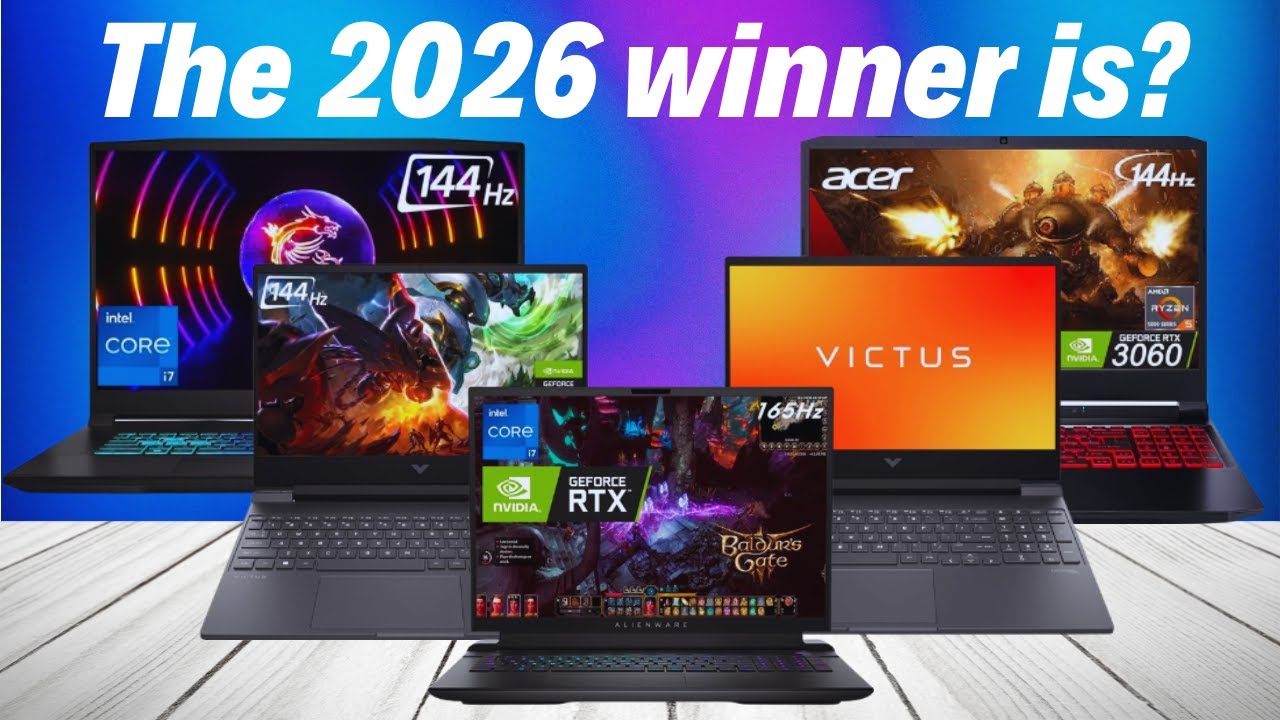


Best Gaming Laptops At CES 2026 RTX 5090 Options Dual Screen Picks Lenovo Legion Pro Rollable Concept. Top 10 Gaming Laptops To Buy In 2026 Power Meets Innovation YouTube . The Best Cheap Gaming Laptops For 2026 Tested For Gaming Top 3 Gaming Laptops Of 2026 - The Ultimate Guide . How To Choose The Right Gaming Laptop 2026 What You Need To Know WIRED The Ultimate Quest How To Choose The Right Gaming Laptop . Gaming Laptops 2026 How To Choose The Best Notebook RTX 50 Guide Image
%2520Luke%2520Larsen%25205.png)


Dell Pro Max Laptops Explained 2026 Complete Guide Best Gaming Laptops 768x419 . How To Choose The Right Gaming Laptop 2026 What You Need To Know WIRED . The Ultimate Buying Guide To Gaming Laptops 2026 Sourav Joshi Vlogs Best Gaming Laptops 2026 . Top 10 Best Gaming Laptops To Buy In 2026 Power Performance What S . BEST Budget Gaming Laptops To Buy 2026 YouTube


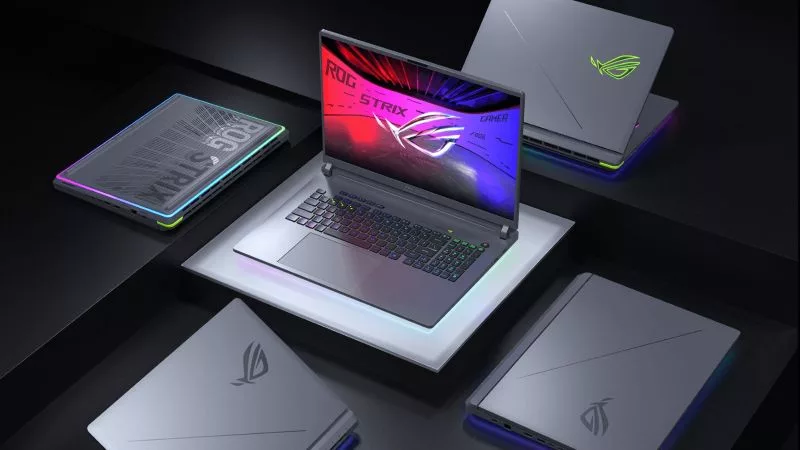

Gaming Laptops Vs Handheld PCs In 2026 Which One Should You Choose Rtx 5080 Laptop Vs Desktop Performance. Best Gaming Laptops For Every Type Of Gamer In 2026 Blog.webp. Best High End Gaming Laptops For Smooth Gameplay 2026. Best Budget Gaming Laptops 2026 YouTube . Best Gaming Laptops 2026 Top 5 Picks With RTX 50 GPUs Price Comparison Top 5 Gaming Laptops In 2026


Best Gaming Laptops For Every Type Of Gamer In 2026. Gaming Laptops 2026 Guide How To Choose The Right One What Is A Gaming Laptop . CS2 Laptop Buying Guide 2026 How To Choose A Laptop For Cs2 2026 Sa Buying Guid Banner.webp. Best 4k Gaming Laptop In 2026 Our Top Pick PCVenus Best 4k Gaming Laptop . Gaming Laptops MSI Global
-Reviewer-Photo-SOURCE-Luke-Larsen.jpg)

How To Choose The Right Gaming Laptop 2026 What You Need To Know WIRED Razer Blade 16 2025 Laptop (front) Reviewer Photo SOURCE Luke Larsen . 10 Best Gaming Laptops In 2026 Tested With AAA Rated Games PCVenus Best Gaming Laptops Under 700 648x320 . Gaming Laptops 2026 Guide How To Choose The Right One What Are The Best Gaming Laptops 1200x675 . Gaming Laptop Buying Guide 2026 How To Choose The Right MSI Gaming Laptop Seo . Five Rp15 Juta Gaming Laptops Compared The Best Pick Depends On How Five Rp15 Juta Gaming Laptops Compared The Best Pick Depends On How You Use Them


Best Gaming Websites For Free Games 2026 Gaming PC Guru AC SL1500 . How To Choose The Best High Performance Gaming Laptop In 2026 . Best Gaming Laptops 2026 Top 10 Picks By Budget Performance What Are The Best Laptops For Gaming In 2024 1200x600 . How To Choose The Right Gaming Laptop 2026 What You Need To Know WIRED Panther Lake . How To Choose The Right Gaming PC In 2026 Complete Guide Complete Guide



Laptop Buying Guide 2026 How To Choose The Best Laptop Guidantech Laptop Buying Guide . Top 10 Best Gaming Laptops Of 2026 Next Gen Power Revealed YouTube . Top 10 Gaming Laptops Of 2026 Unleash Next Level Power YouTube . Best Budget Gaming Laptops 2026 Top Value Picks Best Budget Laptops For Gaming 2026 1024x600 . How To Choose The Right Gaming Laptop 2026 What You Need To Know WIRED